Lightweight & standalone
A solution designed to operate without heavy simulation infrastructure.
AIR TRAFFIC CONTROLLER TRAINING
Echo-Vector is a light radar simulator designed for hands-on practice, repetition and operational situations, without the complexity or infrastructure of a high-fidelity simulator.
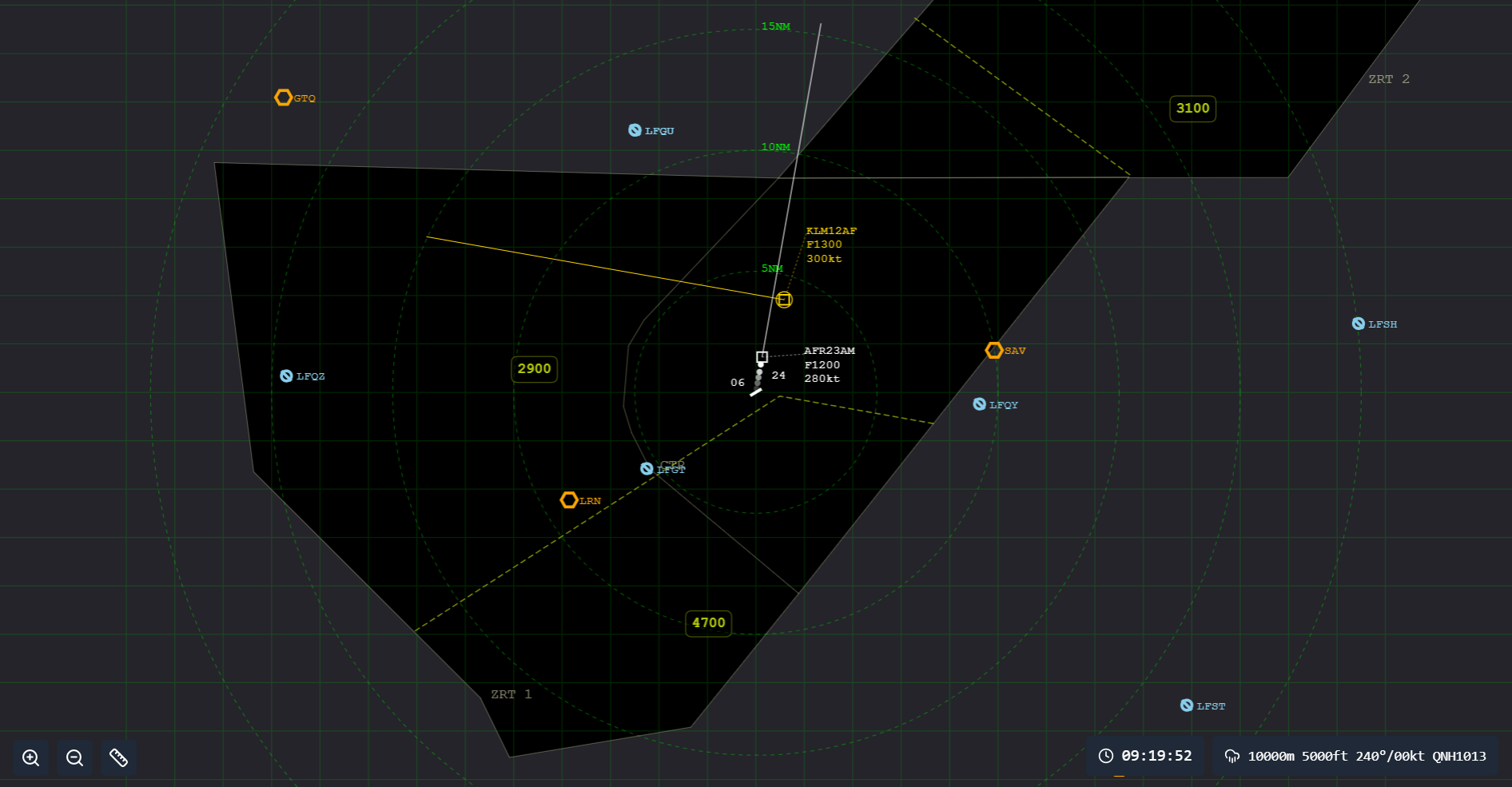
A solution designed to operate without heavy simulation infrastructure.
Environments, procedures and scenarios tailored to training requirements.
Practice, repetition, operational skills and debriefing at the heart of the experience.
THE SIMULATOR
Echo-Vector supports the entire training session: from setting up the scenario to analysing the exercise.
Set up a radar environment tailored to the airfield, procedures and training objectives of the session.
Give the trainee hands-on practice in operational situations and repeat the sequences needed to develop effective routines.
Review the session using replay tools and training markers to analyse the actions performed.
LIGHT SIMULATOR
Echo-Vector makes a deliberate choice: to focus on what is needed for practice and training rather than reproduce the full complexity of a high-fidelity radar simulator.
Tracks, headings, altitudes, speeds, procedures and operational situations: the elements needed for training are directly accessible.
A lightweight solution that does not require high-fidelity simulator infrastructure, making training environments easier to deploy.
Repeat a procedure, develop a routine or prepare for a specific situation without systematically mobilising heavy simulation resources.
FEATURES
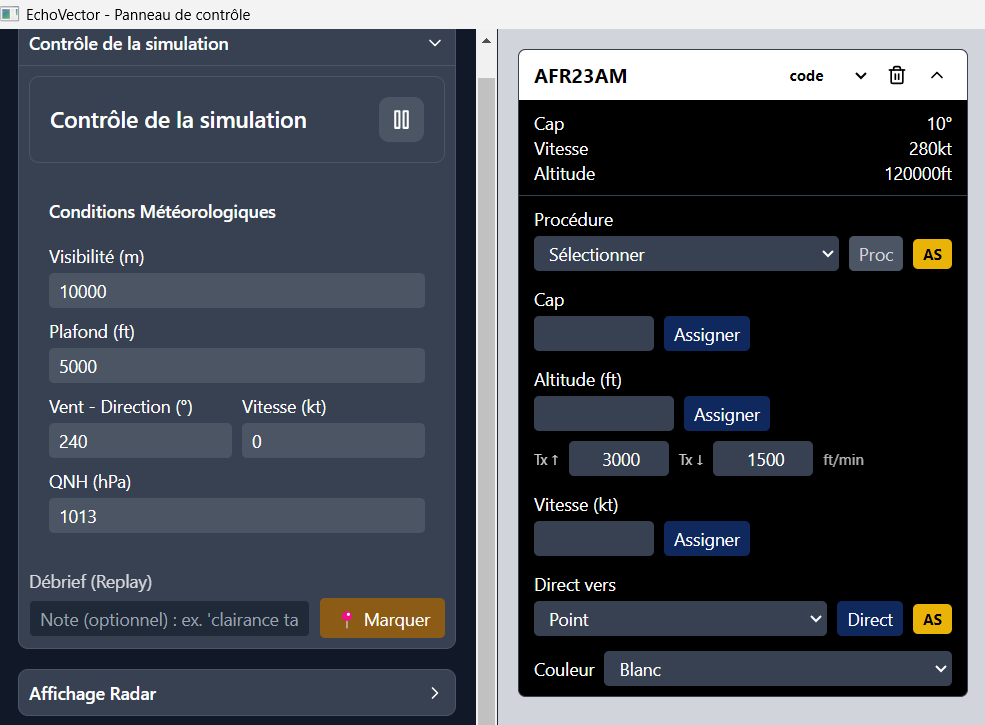
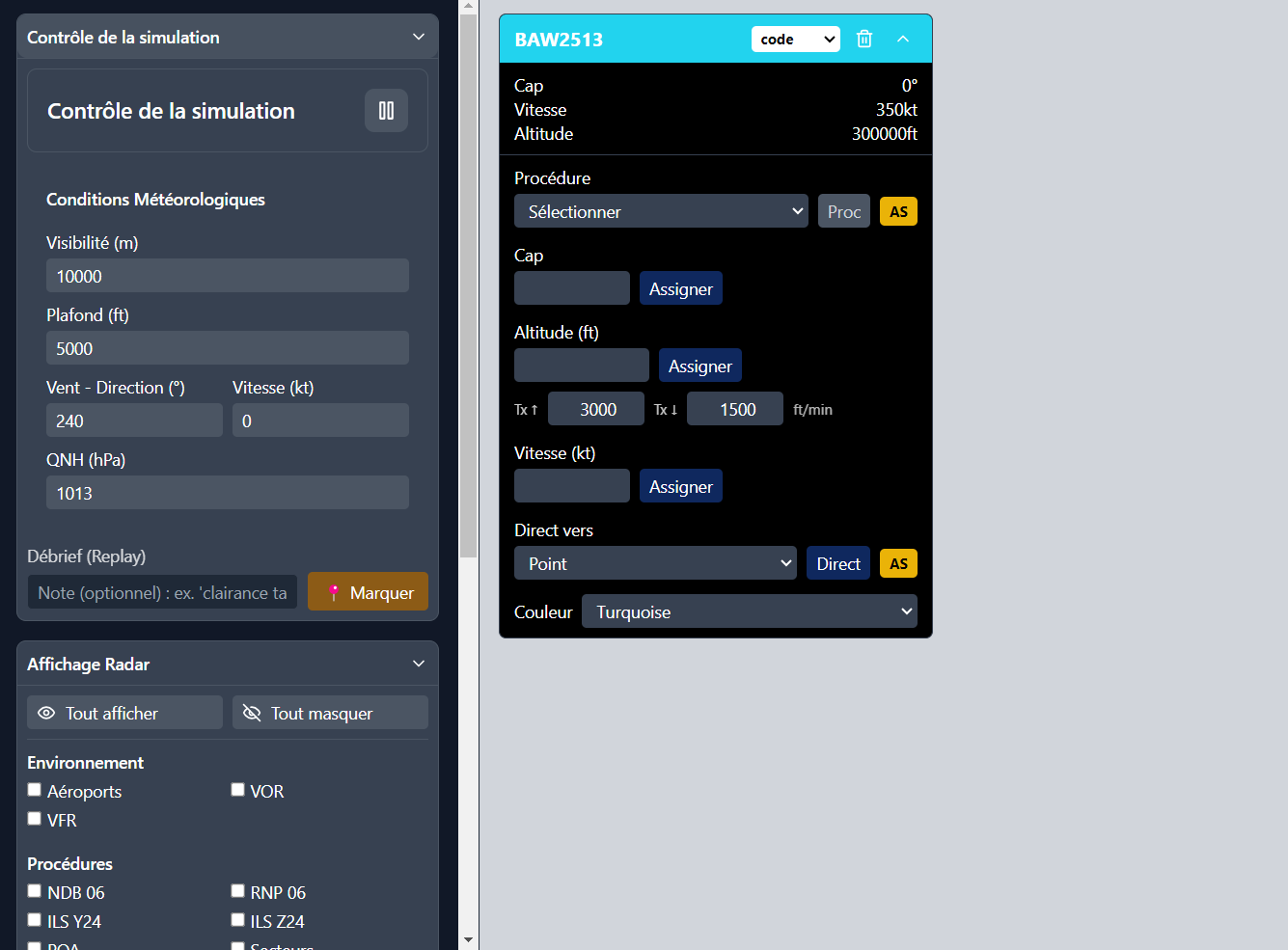
A centralised instructor interface to prepare, run and analyse a session without switching between multiple tools.
Adjust visibility, ceiling, wind and pressure to tailor the environment to the objectives of the session.
Create and control aircraft: heading, altitude, speed, procedures and direct navigation.
Display only the elements required for the exercise: airspace, procedures, navigation aids, sectors and reference points.
Mark key moments during the exercise and use replay to review the trainee's actions precisely.
BUILT FOR TRAINING
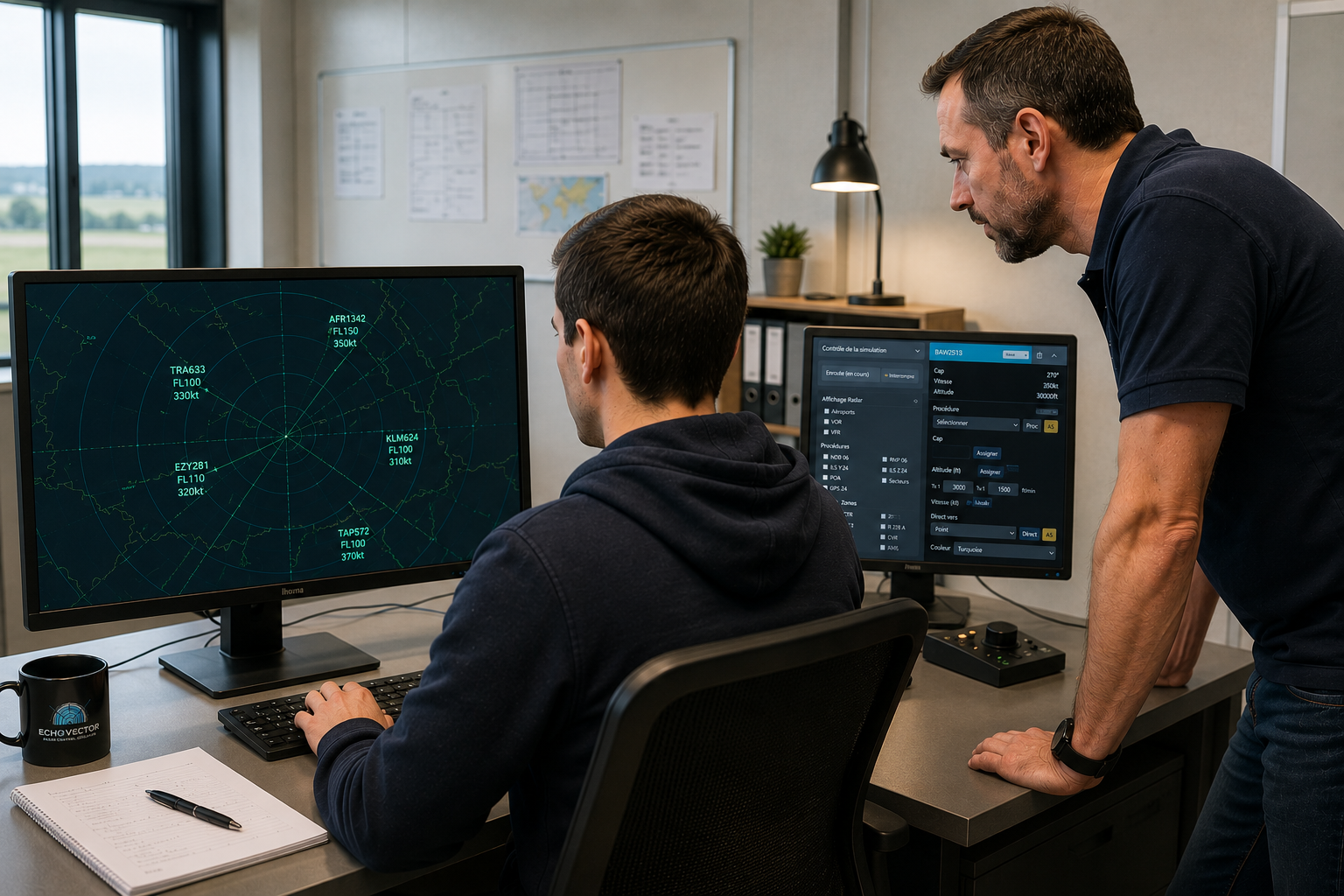
Echo-Vector puts hands-on practice at the centre of the session. The trainee works directly in the radar environment while the instructor runs the simulation, adjusts traffic and guides the exercise.
The instructor follows the situation and can directly adjust simulation parameters as the exercise unfolds.
Traffic, conditions and situations can be adjusted to match the training objectives and the trainee's level.
Training markers and replay make it possible to revisit key moments in the session and analyse the actions performed.
DISCOVER ECHO-VECTOR
See how Echo-Vector can be used in just a few minutes to prepare a session, manage traffic and support training.
TAILORED TO YOUR ENVIRONMENT
Echo-Vector can be adapted to your airfield, procedures and training objectives to provide an environment aligned with your operational reality.
Integration of the elements relevant to your environment: sectors, areas, navigation aids and operational reference points.
Addition of the procedures, tracks and points required for exercises and training situations.
Set up situations tailored to training objectives, trainee levels and instructional needs.
Adjust available parameters and tools to keep the simulator simple, clear and focused on what matters.
OPTIONAL MODULE
Scenario Builder gives instructors the tools to design their own sessions directly in Echo-Vector: training objectives, initial situation, traffic timeline and scheduled events.
Define the training objective, briefing, difficulty level and key points to observe during the exercise.
Organise traffic appearances and schedule events during the exercise: headings, altitudes, speeds, vertical rates, radio failure, emergency situations or instructor notes.
Run the exercise from the beginning or jump directly to a selected point in time to quickly check a specific sequence.
Save, edit and duplicate scenarios to progressively build a library of training exercises and variants.
Create structured exercises, programme their progression and easily produce variants to match different training objectives and trainee levels.
CONTACT
Tell us about your training requirements and how Echo-Vector could be adapted to your environment.